
400G and 800G SR8 MPO Polarity: Type B, MPO-12 vs MPO-16 — Don't Plug in the Wrong Cable
2026-11-19 09:25:28
You plug in a brand-new 400G SR8 module, the link stays dark, and the first suspect is the module. Most of the time it is not the module. It is the cable — the wrong fiber count, the wrong polarity, or the wrong end face — and SR8 is the optic where all three mistakes are easiest to make, because it looks like the MPO links you already know and is not.
This guide covers the three things to check before you blame the transceiver: MPO-16 instead of MPO-12, Type B polarity, and the gender and polish of the connector. Get those right and an SR8 link comes up the first time.
Why SR8 Needs 16 Fibers
An SR8 module is eight parallel lanes in each direction. A 400G SR8 runs eight 50G PAM4 lanes; an 800G SR8 runs eight 100G PAM4 lanes. Eight transmitters need eight fibers and eight receivers need eight more, so the link needs 16 fibers in total — and that is why SR8 uses an MPO-16 connector, with positions 1–8 transmitting and 9–16 receiving.
Compare that with the optics the MPO-12 habit comes from. A 40G SR4 or 100G SR4 has four lanes each way — eight fibers on an MPO-12, with four positions sitting dark. A 400G DR4 is the same shape: four 100G lanes each way on an MPO-12. SR8 doubles the lane count, so the connector had to grow: MPO-16 carries all 16 fibers in a single row, and every position is live.
| Module | Lanes | Fibers needed | Connector | Reach on multimode |
|---|---|---|---|---|
| 40G / 100G SR4 | 4 × 10G / 4 × 25G | 8 (4 Tx + 4 Rx) | MPO-12 (4 positions unused) | Up to 100m / 150m |
| 400G DR4 | 4 × 100G | 8 (4 Tx + 4 Rx) | MPO-12 (4 positions unused) | 500m single-mode |
| 400G SR8 | 8 × 50G PAM4 | 16 (8 Tx + 8 Rx) | MPO-16 | Up to 100m |
| 800G SR8 | 8 × 100G PAM4 | 16 (8 Tx + 8 Rx) | MPO-16 | Up to 100m |
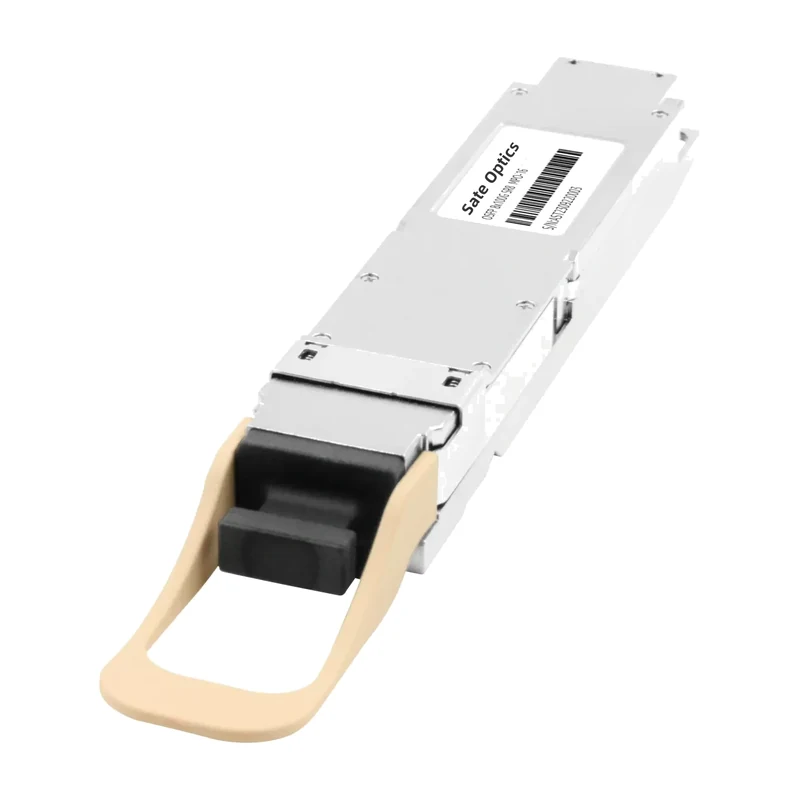
Sate's SR8 modules are both 850nm multimode parts for up to 100m: the ST-400G-QSFPDD-SR8 in QSFP-DD, running eight 50G PAM4 lanes, and the ST-800G-OSFP-SR8 in OSFP, with eight 100G PAM4 lanes over OM3/OM4 fiber via an MPO-16 interface. The 100m figure is the OM4 reach on the 800G part; on OM3 the same link is shorter, so check the fiber grade on the cable you already have before reusing it for SR8.
MPO-12 vs MPO-16: They Do Not Mate
The first mistake is physical. An MPO-16 connector has an offset key position, deliberately different from MPO-12, so an MPO-16 cable cannot be plugged into an MPO-12 adapter and an MPO-12 cable cannot be plugged into an SR8 port. That is a feature: it stops you from connecting a 16-fiber module with a 12-fiber cable and wondering why half the lanes are missing.
What it does not stop is ordering the wrong cable. MPO-12 patch cords are everywhere in a data center that grew up on 40G and 100G SR4, and they look identical to MPO-16 cords at arm's length — same rectangular shell, same push-pull boot. The difference is the key position and the fiber count printed on the cable jacket. Read the jacket, not the shape: an SR8 order should say MPO-16 (also sold as MTP-16) and 16 fibers, and the trunk it plugs into must be a 16-fiber trunk end to end. Never mix MPO-12 and MPO-16 trunk segments in the same channel — the ferrule geometry and key spacing differ, so the joint will not seat properly.
Polarity: Why the Direct Patch Cord Must Be Type B
Polarity is the rule for which transmit fiber lands on which receive fiber at the far end. There are three standard methods, and for parallel optics only one of them belongs on a direct patch cord.
Type B (reversed) is the one to buy. A Type B cable reverses the fiber positions end to end: fiber 1 arrives at position 16 on an MPO-16 (position 12 on an MPO-12), fiber 2 at position 15, and so on. Both SR8 modules have their transmitters on positions 1–8 and their receivers on positions 9–16, so that reversal is exactly what puts transmit lane 1 onto receive lane 1 at the far end, and every other lane with it. Plug a Type B MPO-16 patch cord between two SR8 modules and every lane lines up. The same rule is why Type B is the standard patch cord for SR4 and DR4 as well.
Type A (straight-through) will leave the link dark. A Type A cable maps fiber 1 to fiber 1, so transmit meets transmit and receive meets receive. Both ends are doing the same thing and neither is listening. If a link is dark and the cable jacket says Type A, that is the whole diagnosis.
Type C (pairs-swapped) is never for parallel optics. Type C swaps adjacent pairs — 1 with 2, 3 with 4 — which suits duplex links and breaks parallel ones. If a Type C cable ends up on an SR8 link, replace it; it cannot be made to work by flipping anything.
One qualification: Type B is the rule for a direct module-to-module patch cord. A longer structured channel — patch cord, trunk, cassette, patch cord — can use other methods in its parts as long as the whole channel ends up equivalent to a Type B reversal. If your link runs through panels and cassettes, check the polarity of the whole channel, not just the cord in your hand; the cassette and the trunk each carry a polarity of their own.
Two More Things That Kill the Link: Gender and Polish
Gender. MPO connectors come pinned (male, with guide pins) and unpinned (female, with guide holes), and a mated pair needs one of each. Most SR8 module ports are pinned, so the cable end that plugs into the module must be unpinned — a pinned cable will not seat in a pinned port. Check the module datasheet rather than assuming, and order the cord to match: the end that meets the module is female, and the trunk side follows whatever the cassette or adapter asks for.
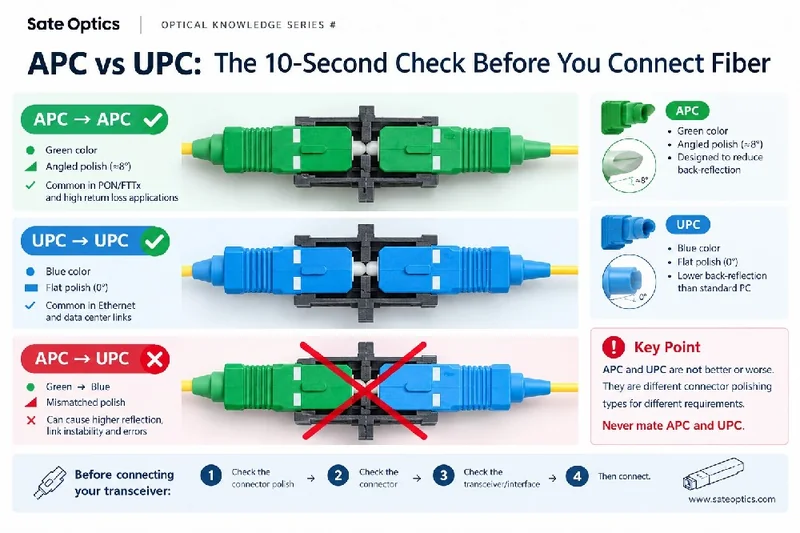
Polish: APC vs UPC. The end face of an MPO connector is polished either flat (UPC) or at an 8-degree angle (APC), and the two do not mate — an APC cord on a UPC port will not seat, and a forced connection damages the ferrule. Some SR8 modules require APC — Cisco's 400G SR8 does, for example — while others use UPC, so this is a datasheet item, not a guess. Check the polish on the module and match the cable to it at both ends.
Neither of these is visible from the link status light. A link that is dark with the right fiber count and the right polarity is usually a gender or polish mismatch: the connector looks plugged in, the latch clicked, and the fibers never actually met.
Pre-Flight Checklist
| Check | What to confirm |
|---|---|
| Fiber count | MPO-16, 16 fibers, for any SR8 module. MPO-12 belongs to SR4 / DR4 links, not this one. |
| Polarity | Type B on a direct module-to-module patch cord. Type A leaves the link dark; Type C is never for parallel optics. |
| Gender | Cable end into the module is unpinned (female) unless the module datasheet says otherwise. |
| Polish | APC or UPC to match the module datasheet at both ends. The two do not mate. |
| Fiber grade | OM3 or OM4 multimode for the full 100m reach; OM3 shortens it. Single-mode fiber does not belong on an SR8 link. |
| Whole channel | If the link runs through trunks and cassettes, the polarity of the whole channel — not just one cord — must end up as a Type B reversal. |
Before You Order
Every Sate Optics MPO trunk and breakout cable is built for the fiber count it is sold as, and every SR8 module is coded for major networking platforms — including Cisco, Juniper, Arista, Huawei, Nokia, H3C and ZTE — and 100% tested before shipment, covered by a 3-year warranty with lifetime maintenance. Standard lead time is 3–7 days for most products, and samples are available for evaluation.
If you are planning a 400G or 800G SR8 rollout, send us the switch model, how many SR8 ports you need, and whether the links are direct patch cords or run through trunks and cassettes. We will confirm the connector, polarity, gender and polish for each link — before you order.
Need Help Choosing the Right Module?
Tell us your switch model and the distance you need to cover — we confirm compatibility and reply within 24 hours.
Get a Quote Chat on WhatsAppPrevious:APC vs UPC Fiber Connectors: What’s the Difference and Which One Do You Need?
Next:No More