
What Really Limits Network Speed? 5 Bottlenecks You Should Check
2026-08-19 12:40:16
What Really Limits Network Speed? 5 Bottlenecks You Should Check Before Blaming the Optical Transceiver
Your network may support 100G on paper—but that doesn't always mean your application is actually getting 100G.
When a network performs below expectations, the optical transceiver is often the first component people suspect.
But in many cases, the real bottleneck is somewhere else.
A network connection depends on multiple components working together:
NIC → Switch Port → Transceiver → Cable/Fiber → Transceiver → Switch Port → NIC
If one part supports a lower speed, has a compatibility issue, or is incorrectly configured, the entire link can be limited.
This guide explains the five most common factors that can limit network speed and how to choose the right optical transceivers, DAC cables, AOCs, and fiber connectivity for your application.
The Simple Rule: Your Link Is Limited by Its Weakest Point
A useful way to think about network performance is:
The maximum link speed is constrained by the lowest-capability component in the end-to-end connection.
For example:
10G transceiver + 1G switch port → the port limits the connection
25G NIC + 10G switch port → the connection cannot operate at 25G
100G optics + 25G-capable equipment → the network remains limited by the lower-speed component
This is why simply upgrading an optical module does not always solve a network performance problem.
Before replacing the transceiver, check the entire link.
1. Cable or Fiber Can Limit Network Speed
The physical connection between devices is just as important as the transceiver.
Different network architectures require different cable or fiber solutions.
DAC Cable for Short Connections
Direct Attach Copper (DAC) cables are commonly used for short-distance switch-to-server or switch-to-switch connections.
They are especially attractive when:
The distance is short
Low latency is important
A simple connection is preferred
Cost efficiency matters
High-density rack connections are required
For example, 10G, 25G, 40G, 100G, and higher-speed DAC solutions are widely used inside data center racks.
AOC Cable for Short-to-Medium Connections
Active Optical Cables (AOCs) combine optical transmission with integrated transceiver ends in a single cable assembly.
They can be useful when:
Copper DAC distance is insufficient
A lightweight optical connection is preferred
Switch-to-switch or switch-to-server links require greater reach
Simplified cabling is desirable
MPO/MTP Fiber for High-Density Short-Reach Connectivity
MPO/MTP fiber assemblies are commonly used in high-density data center environments, especially with parallel optics such as SR4 and SR8 applications.
They can help simplify high-density connections involving multiple optical channels.
For example, 40G and 100G multimode applications frequently use MPO-based connectivity.
LC Fiber for Longer Optical Links
LC duplex or LC-based fiber connections are commonly used with optical transceivers designed for longer transmission distances.
For example, depending on the transceiver specification:
10G LR
25G LR
100G LR4
100G ER4
can use LC-based fiber connectivity.
The key point: the cable or fiber must match the transceiver, transmission distance, fiber type, connector, and application.
2. The Switch Port Sets an Important Upper Limit
One of the easiest mistakes is checking the transceiver but forgetting to check the switch port.
Imagine installing a 25G SFP28 transceiver into a platform whose port only supports 10G.
The transceiver itself may be capable of 25G, but the network equipment determines what the port can actually support.
The same principle applies to higher-speed networks.
For example:
100G QSFP28 + 25G-capable port ≠ 100G link
This is why buyers should always verify:
Switch model
Exact port type
Supported speeds
Port breakout capability
Transceiver compatibility
Firmware or software requirements
before purchasing optical modules.
3. The Optical Transceiver Still Matters
Although the transceiver is not always the bottleneck, selecting the correct module is critical.
An optical transceiver must match several parameters.
Speed
Common data rates include:
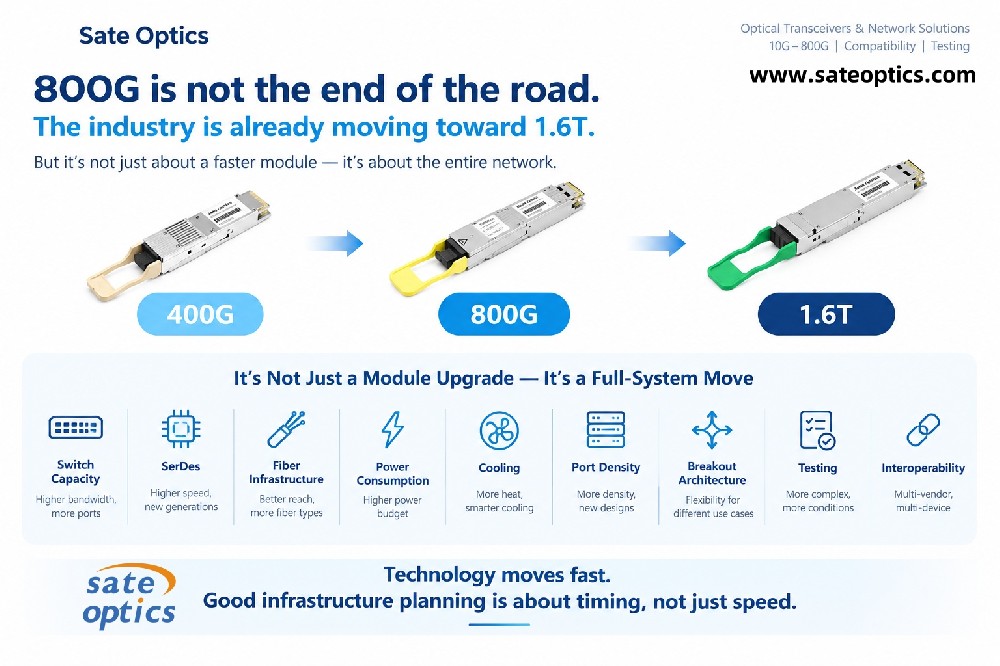
| Network Speed | Common Form Factor |
|---|---|
| 1G | SFP |
| 10G | SFP+ |
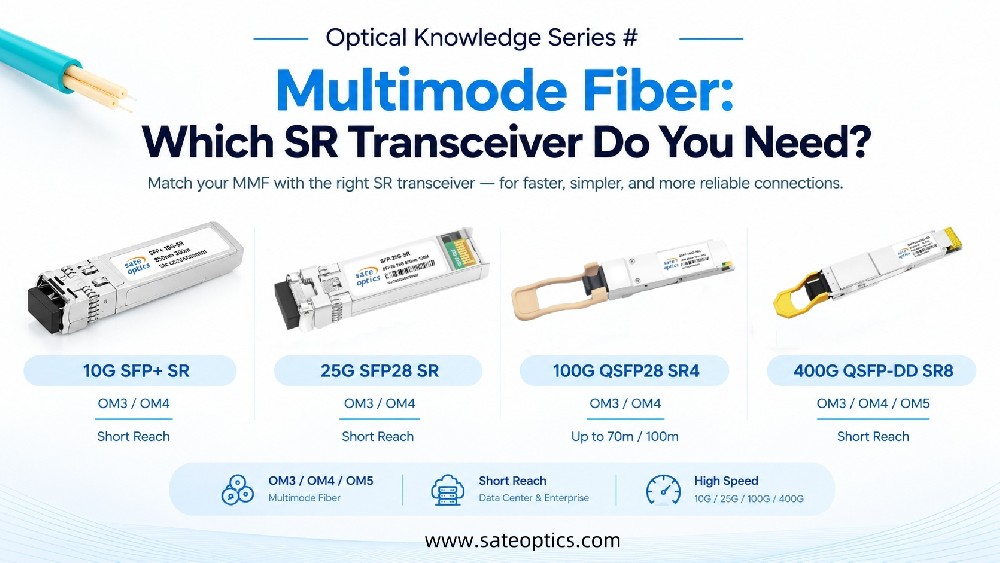
| 25G | SFP28 |
| 40G | QSFP+ |
| 100G | QSFP28 |
| 200G | QSFP56 / QSFP-DD |
| 400G | QSFP-DD |
| 800G | QSFP-DD / OSFP |
Transmission Distance
The required distance also determines the appropriate optical solution.
Typical applications may include:
100 m
300 m
2 km
10 km
20 km
40 km
80 km
100 km+
The exact supported distance depends on the specific module, fiber type, optical budget, and network conditions.
Wavelength
Different optical modules use different wavelengths.
Common examples include:
850 nm
1310 nm
1550 nm
CWDM wavelengths
DWDM wavelengths
The wavelength must be appropriate for the selected transceiver and optical link.
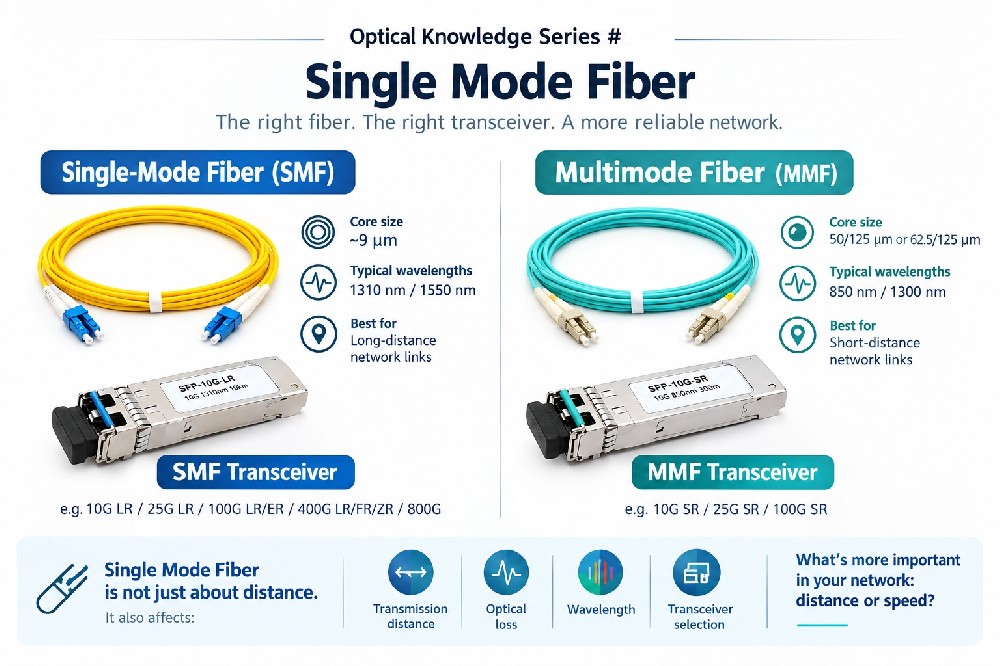
Fiber Type
The module must also match the fiber infrastructure.
For example:
SR → typically multimode fiber
LR/ER → typically single-mode fiber
Using the wrong fiber type can result in poor performance or a link that does not operate as expected.
4. Your NIC Can Become the Bottleneck
The server-side Network Interface Card (NIC) is another critical part of the link.
For example:
A server with a 25G NIC cannot suddenly become a 100G server simply because a 100G optical transceiver is installed elsewhere in the network.
For server connectivity, check:
NIC supported speed
PCIe capability
Driver compatibility
Port configuration
FEC requirements
Operating system settings
Application workload
This is especially important when upgrading an existing data center.
Instead of asking:
“Can my switch support 100G?”
also ask:
“Can my server NIC, switch port, optics, and cabling all support the target speed?”
5. Configuration Can Affect Actual Performance
Even when the hardware supports the desired speed, configuration can still affect link performance.
Depending on the platform and application, check:
Port speed
Auto-negotiation
Duplex settings
FEC
Breakout configuration
NIC settings
Switch configuration
Driver and firmware versions
For high-speed Ethernet, Forward Error Correction (FEC) can be particularly important.
Different speeds and optical interfaces may have different FEC requirements or recommendations.
Therefore, when troubleshooting a 25G, 100G, 400G, or 800G link, don't look only at the physical hardware.
Check the configuration as well.
A Practical Network Speed Troubleshooting Checklist
When a link is slower than expected, work through the following sequence.
Step 1: Check the Target Speed
What speed are you actually trying to achieve?
10G? 25G? 100G? 400G?
Step 2: Check Both Switch Ports
Verify the supported speed on both ends.
Don't assume that two ports with the same physical appearance support the same data rate.
Step 3: Check the NIC
Confirm the server or network device can support the target speed.
Step 4: Check the Optical Transceiver
Verify:
Form factor
Data rate
Wavelength
Fiber type
Distance
Connector
Compatibility
Step 5: Check the Cable or Fiber
Confirm that the physical connectivity matches the optical solution.
For example:
DAC → short-distance copper connection
AOC → short/medium-distance optical connection
MPO/MTP → high-density parallel-fiber connectivity
LC fiber + optics → longer-distance optical connectivity
Step 6: Check Configuration
Review:
Speed
FEC
Port mode
Breakout
Auto-negotiation
Firmware
NIC settings
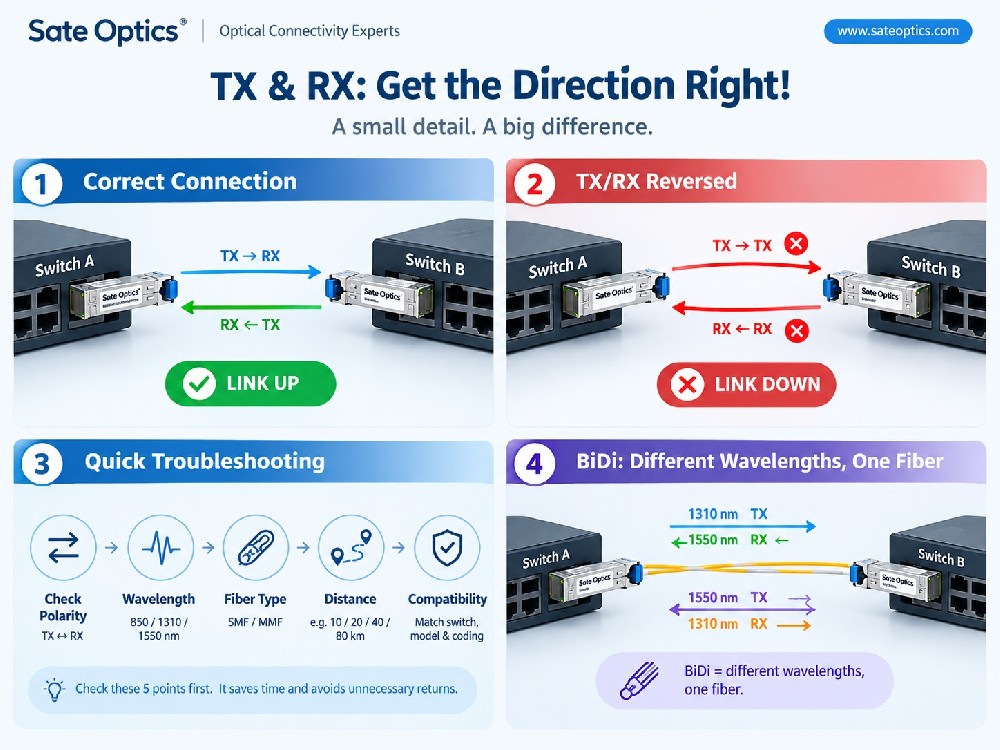
Step 7: Check Optical Power and Link Status
For optical links, also verify optical diagnostics when available.
Important parameters can include:
TX power
RX power
Temperature
Voltage
Laser bias
Module alarms
A link can have the correct nominal speed but still experience problems because of optical power or fiber issues.
Common Optical Transceiver Models for Different Applications
When planning a network upgrade, customers often start with a target speed and then select the appropriate form factor and reach.
Here are some commonly searched optical transceiver model keywords and application categories.
10G Optical Transceivers
Typical options include:
SFP-10G-SR
SFP-10G-LR
SFP-10G-ER
These are commonly used for server connections, aggregation networks, campus networks, and data center links.
25G Optical Transceivers
Typical options include:
SFP-25G-SR
SFP-25G-LR
25G SFP28 is widely used for server-to-switch connections and data center access networks.
100G Optical Transceivers
Common model keywords include:
QSFP-100G-SR4
QSFP-100G-LR4
QSFP-100G-ER4
For example, 100G SR4 is suited to short-reach multimode applications, while 100G LR4 is designed for longer-reach single-mode applications.
400G Optical Transceivers
For next-generation data center and AI infrastructure, common form factors include:
400G QSFP-DD
400G QSFP-DD FR4
400G QSFP-DD SR8
The correct solution depends on the required distance, fiber infrastructure, switch platform, and application.
800G Optical Transceivers
High-performance computing, AI clusters, and next-generation data center networks are driving demand for:
800G QSFP-DD
800G OSFP
800G SR8
At these speeds, system compatibility, fiber architecture, thermal design, FEC, and port configuration become increasingly important.
Application Scenarios
Data Center Server-to-Switch Connections
For short rack-level connections, customers may consider:
SFP+/SFP28 + DAC
This can provide a straightforward and cost-effective connectivity option for 10G and 25G server connections.
For higher-density environments, AOC or parallel-fiber solutions may be considered depending on the required distance and architecture.
Data Center Switch-to-Switch Connections
Switch-to-switch connections may require:
DAC
AOC
40G/100G SR
100G LR
400G FR4
400G SR8
800G optical solutions
The correct choice depends on distance, port type, bandwidth, and fiber infrastructure.
Campus and Enterprise Networks
Enterprise networks often combine multiple speeds.
For example:
1G access → 10G aggregation → 25G/100G backbone
In these environments, understanding the entire network path helps prevent purchasing an optical module that exceeds the capability of the surrounding equipment.
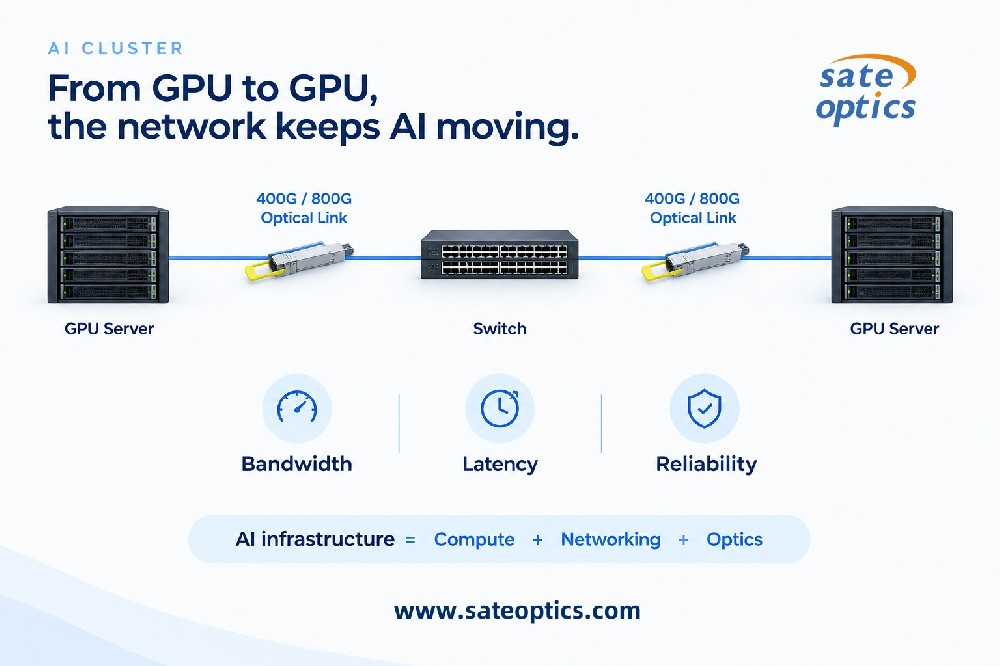
AI and High-Performance Computing Networks
AI clusters require extremely high bandwidth and increasingly dense connectivity.
400G and 800G optical solutions are becoming important for high-speed interconnects, while DAC, AOC, and parallel-fiber connectivity can be used in different parts of the architecture depending on distance and deployment requirements.
At these speeds, every component matters.
A high-speed transceiver alone cannot eliminate a lower-speed switch port, NIC, cable, or configuration bottleneck.
How to Choose the Right Connectivity Solution
Instead of selecting a product only by data rate, use this simple framework:
1. What speed do I need?
↓
2. What switch port do I have?
↓
3. What NIC or device port do I have?
↓
4. What is the actual distance?
↓
5. What fiber or cabling infrastructure is available?
↓
6. What connector and wavelength are required?
↓
7. Is the transceiver compatible with the equipment?
↓
8. What configuration and FEC are required?
This approach helps avoid a common purchasing mistake:
Buying the fastest optical module instead of buying the right optical module.
FAQ
1. Why is my 10G link not reaching 10G?
Several factors can cause this, including a 1G-capable port, incorrect configuration, unsuitable cabling, NIC limitations, compatibility problems, or other network conditions.
Start by checking both ports, the NIC, transceiver, cable/fiber, and configuration.
2. Can a 25G SFP28 work in a 10G port?
It depends on the specific switch and port design.
Some platforms support multi-rate operation, while others do not.
Always check the equipment's compatibility documentation before purchasing.
3. Does a 100G optical transceiver guarantee a 100G connection?
No.
The switch port, NIC, cabling/fiber, transceiver, and configuration all need to support the intended connection.
A 100G transceiver cannot overcome a lower-speed component elsewhere in the link.
4. When should I use DAC instead of optical transceivers?
DAC is generally a good option for short-distance connections where low cost, simplicity, and high density are priorities.
For longer distances or greater flexibility, optical transceivers with fiber are often more appropriate.
5. What is the difference between DAC and AOC?
DAC uses copper conductors, while AOC uses optical transmission with integrated optical components.
DAC is typically preferred for very short connections, while AOC can provide greater reach while maintaining a simple integrated cable design.
6. Is MPO/MTP the same as LC fiber?
No.
MPO/MTP is a multi-fiber connector system commonly used for high-density and parallel-fiber applications.
LC is a duplex/single-fiber connector format commonly used with many single-mode and duplex optical links.
They serve different connectivity requirements.
7. What should I check before buying an optical transceiver?
At minimum, confirm:
Equipment model
Port type
Data rate
Transmission distance
Wavelength
Fiber type
Connector
Compatibility
Operating temperature
FEC requirements
For OEM-compatible optics, confirming the exact switch model and port information is especially important.
Final Takeaway
When network performance is lower than expected, don't immediately blame the optical transceiver.
Look at the complete link:
NIC → Switch Port → Transceiver → Cable/Fiber → Transceiver → Switch Port → NIC
The actual performance is constrained by the weakest or incorrectly configured part of that path.
The right optical solution is therefore not simply the fastest module.
It is the one that correctly matches:
Speed + Distance + Port + Fiber + Connector + Compatibility + Configuration
From 1G SFP and 10G SFP+ to 25G SFP28, 100G QSFP28, 400G QSFP-DD, and 800G QSFP-DD/OSFP, the right choice depends on the complete network architecture.
Need Help Choosing the Right Optical Connectivity?
At Sate Optics, we provide optical connectivity solutions from 1G to 800G, including compatible optical transceivers, DAC cables, AOCs, MPO/MTP fiber connectivity, and optical solutions for data center and telecom networks.
Whether you're upgrading a server rack, expanding a data center, deploying 100G/400G links, or planning an 800G network, the key is to match the entire link—not just one component.
Tell us your switch model, target speed, transmission distance, and fiber/cabling requirements. Our team can help you identify the right connectivity solution for your application.
Sate Optics | Optical Connectivity Experts
Previous:How to Choose the Right Network Switch: 7 Key Factors to Check
Next:Loopback Testing: The Fastest Way to Find Network Link Problems?