
Link Flapping? How to Troubleshoot SFP, SFP+, QSFP+ and QSFP28 Transceiver Issues Before Replacement
2026-07-21 11:22:20
A practical guide to diagnosing unstable optical links before replacing your transceiver
Link Flapping? Don't Replace Your Optical Transceiver Too Quickly
A network link that repeatedly goes up and down can quickly become a serious problem.
For network engineers, link flapping often means:
Unstable connectivity
Packet loss
Service interruption
Difficult troubleshooting
The first reaction is usually:
"The SFP transceiver must be faulty. Let's replace it."
However, in real-world deployments, the optical module is not always the root cause.
Many link failures come from:
Low optical power
Fiber connection issues
Incorrect optical module selection
Compatibility problems
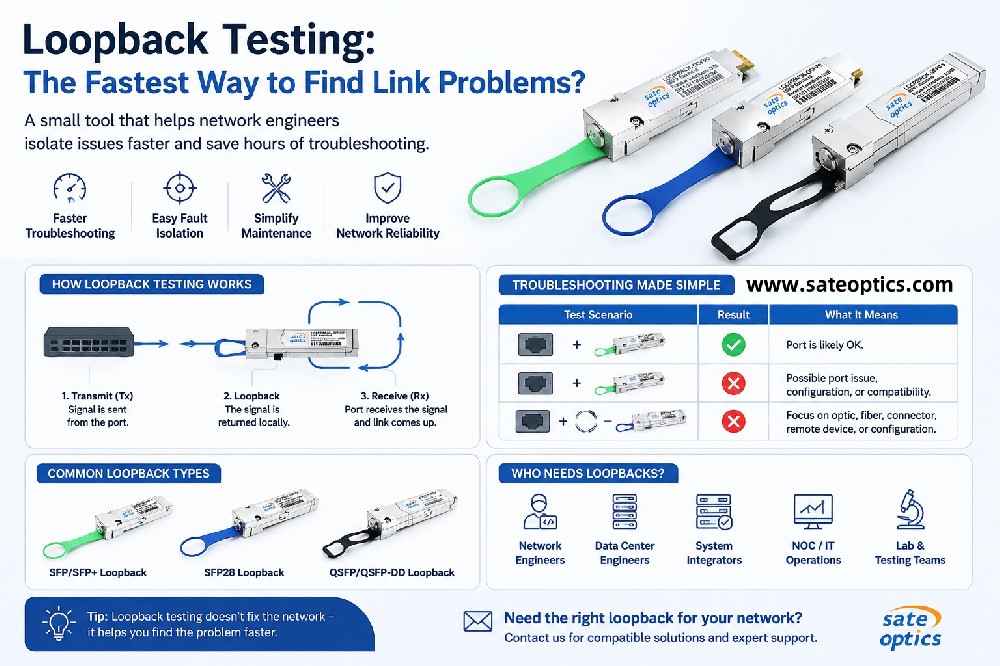
Before replacing your SFP transceiver, a proper troubleshooting process can save time and reduce unnecessary hardware replacement.
What Is Link Flapping in Optical Networks?
Link flapping happens when a network interface repeatedly changes between:
UP → DOWN → UP
This usually occurs when the communication between two network devices becomes unstable.
In fiber networks, the problem can involve:
Optical transceiver
Fiber cable
Patch panel
Connector
Switch configuration
Compatibility between devices
The optical module is only one part of the complete link.
3 Things to Check Before Replacing an SFP Transceiver
1. Check Optical Power Using DOM/DDM Monitoring
Optical power is one of the most important indicators for diagnosing SFP problems.
Many modern optical transceivers support:
DOM (Digital Optical Monitoring)
or
DDM (Digital Diagnostic Monitoring)
Engineers can check:
Tx Power
Rx Power
Temperature
Voltage
Laser Bias Current
A low Rx power value may cause:
Intermittent connection
CRC errors
Packet loss
Link instability
For example:
A SFP-10G-LR optical module may work normally when first installed, but if the optical margin becomes too low due to fiber loss, the link may start flapping over time.
Before replacing the module, always check the actual optical power values.
2. Inspect Fiber Connectors and Fiber Link Quality
A reliable SFP transceiver still requires a clean and stable fiber connection.
Common fiber problems include:
Dirty LC connectors
Damaged fiber end faces
Loose connections
Excessive fiber bending
High insertion loss
These problems can look exactly like a failed optical module.
Recommended checks:
✔ Clean fiber connectors
✔ Inspect patch cords
✔ Verify fiber type
✔ Measure total link loss when necessary
A simple connector cleaning procedure can sometimes solve hours of troubleshooting.
3. Verify SFP Transceiver Compatibility
Compatibility is another common cause of unstable optical links.
Different network equipment may require different coding and configurations.
Examples:
Cisco compatible SFP
Juniper compatible SFP
Huawei compatible SFP
HPE compatible SFP
Dell EMC compatible SFP
Nokia compatible optics
An incorrectly coded or unsupported optical module may cause:
Unsupported transceiver alarms
Link instability
Interface errors
A properly programmed compatible transceiver should match the target network equipment before deployment.
Common Optical Transceiver Models for Network Deployment
Different applications require different optical modules.
1G SFP Transceivers
Common models:
SFP-1G-SX
SFP-1G-LX
SFP-1G-LH
SFP-1G-ZX
Typical applications:
Enterprise networks
Campus networks
Access switches
Industrial Ethernet
10G SFP+ Transceivers
10G SFP+ modules remain widely used for enterprise and data center networks.
Common models:
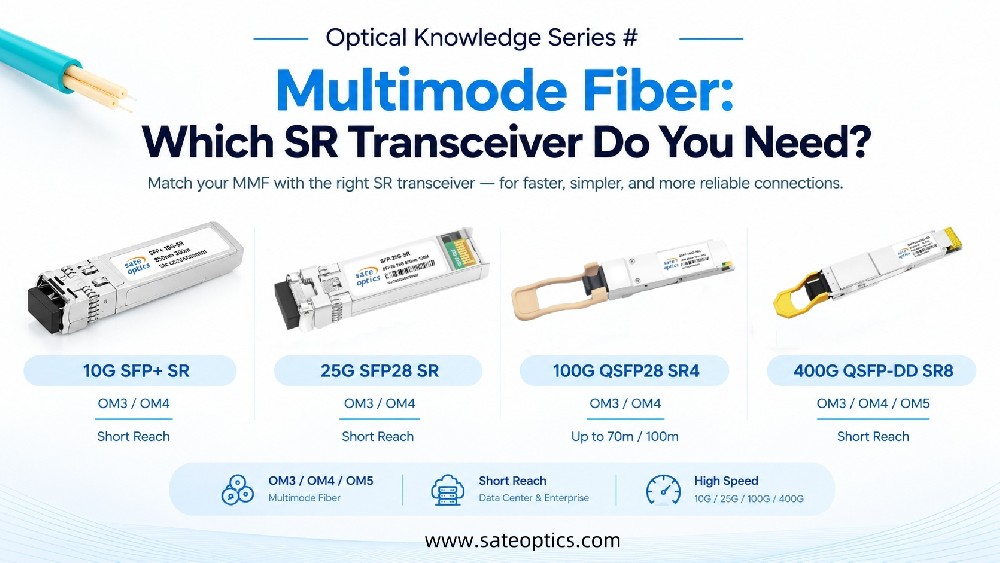
SFP-10G-SR
Multimode fiber
Short-distance transmission
Data center connections
Applications:
Server-to-switch links
Rack connections
Data center environments
SFP-10G-LR
Single-mode fiber
Up to 10km transmission distance
Applications:
Enterprise backbone
Campus networks
Data center interconnection
SFP-10G-ER / SFP-10G-ZR
Applications:
Metro networks
ISP infrastructure
Long-distance fiber transmission
25G SFP28 Transceivers
Common models:
SFP28-25G-SR
SFP28-25G-LR
Applications:
Modern data centers
Leaf-spine architecture
10G to 25G upgrades
40G QSFP+ Transceivers
Although many new networks are moving toward 100G and 400G, 40G QSFP+ remains widely deployed in existing data centers and enterprise networks.
Common models:
QSFP-40G-SR4
Features:
40Gbps transmission
Multimode fiber
MPO/MTP connector
Up to 100m with OM3 fiber
Applications:
Data center switch uplinks
Short-distance connections
Rack-to-rack networking
QSFP-40G-LR4
Features:
Single-mode fiber
LC connector
Up to 10km transmission
Applications:
Campus backbone
Data center interconnection
Enterprise networks
QSFP-40G-ER4
Applications:
Longer distance transmission
Metro networks
Telecom environments
100G QSFP28 and 400G Optical Transceivers
High-speed networks increasingly use:
QSFP28 100G Modules
Common models:
QSFP-100G-SR4
QSFP-100G-LR4
QSFP-100G-ER4
Applications:
Cloud data centers
Backbone networks
High-capacity aggregation
400G Optical Modules
Common models:
QSFP-DD 400G SR8
QSFP-DD 400G DR4
QSFP-DD 400G FR4
QSFP-DD 400G LR4
Applications:
AI data centers
Large-scale cloud infrastructure
High-performance computing networks
Application Scenarios
Data Center Upgrade
When upgrading network speeds, engineers often face:
Wrong optical module selection
Fiber mismatch
Compatibility problems
Typical solutions:
25G SFP28
40G QSFP+
100G QSFP28
400G QSFP-DD
ISP and Telecom Networks
ISPs require stable optical connections for:
Metro networks
Long-distance transmission
Aggregation links
Common solutions:
10G SFP+ LR
10G SFP+ ER
10G SFP+ ZR
DWDM SFP modules
Enterprise Network Maintenance
Enterprise teams often manage mixed environments with:
Different switch brands
Existing optical infrastructure
Long equipment lifecycles
Compatible optical transceivers help reduce upgrade costs while maintaining reliability.
When Should You Replace the SFP Transceiver?
Replacing the optical module should usually be the final troubleshooting step.
Consider replacement after confirming:
✅ Fiber connection is clean
✅ Optical power is within specification
✅ Compatibility is correct
✅ Configuration is normal
If the problem continues, replacing the SFP transceiver becomes the next logical step.
Why Choose Sate Optics Compatible Optical Transceivers?
Sate Optics provides compatible optical solutions for enterprise, data center, ISP, and telecom networks.
Our optical transceivers are:
✔ Compatible with major network platforms
✔ Programmed according to equipment requirements
✔ Tested before shipment
✔ Available with DOM/DDM monitoring
✔ Covered by 3-year warranty
Supported product categories include:
SFP transceivers
SFP+ modules
SFP28 modules
QSFP+ 40G modules
QSFP28 100G modules
QSFP-DD 400G modules
FAQ About SFP Transceiver Link Flapping
Q1: Does link flapping always mean the SFP module is defective?
No.
A faulty SFP is only one possible reason.
Fiber loss, dirty connectors, and compatibility issues are also common causes.
Q2: How do I check if my SFP transceiver has a problem?
Check:
Rx optical power
Tx optical power
Temperature
Voltage
using DOM/DDM monitoring.
Q3: Should I replace my SFP transceiver immediately when the link flaps?
Not always.
First check:
Optical power
Fiber connection
Compatibility
Replacing hardware without diagnosis may not solve the problem.
Q4: Are 40G QSFP+ modules still used?
Yes.
Many enterprise networks and existing data center infrastructures still use:
QSFP-40G-SR4
QSFP-40G-LR4
QSFP-40G-ER4
because they provide reliable performance without requiring a complete network upgrade.
Q5: Can compatible optical modules work with Cisco, Juniper, Huawei, or Dell switches?
Yes.
Compatible optical modules are programmed specifically for different network platforms to ensure proper operation.
Need Help Choosing the Right Optical Transceiver?
Choosing the correct SFP, SFP+, QSFP+, or QSFP28 transceiver can prevent unnecessary troubleshooting and reduce network downtime.
If you need help with:
Compatibility checking
Optical module selection
Network upgrade planning
Contact Sate Optics for professional support.
👉 Explore compatible optical solutions:
www.sateoptics.com
SFP transceiver troubleshooting
SFP link flapping
optical transceiver compatibility
SFP module replacement
SFP troubleshooting guide
SFP-10G-LR
SFP-10G-ZR
SFP28 transceiver
QSFP-40G-SR4
QSFP-40G-LR4
QSFP28 transceiver
QSFP-DD 400G
DOM DDM SFP
Previous:Which Fiber Cable Should You Use with Your SFP? A Simple Guide to SX, LX, SR, LR and QSFP SR4
Next:Optical Modules Running Hot? Power Consumption & Temperature Guide