
Can You Plug Any SFP Into Any Switch? SFP Compatibility Guide
2026-09-02 22:53:15
Can You Plug Any SFP Into Any Switch? A Complete SFP Compatibility Guide
Not every SFP works with every switch. Learn how to check switch compatibility, port speed, wavelength, fiber type, transmission distance, coding, and optical power before buying an optical transceiver.
Can You Plug Any SFP Into Any Switch?
No.
An SFP may physically fit into a switch, but that does not necessarily mean the switch will recognize it or that the optical link will operate correctly.
This is one of the most common mistakes when purchasing optical transceivers.
Two SFP modules can have the same physical size and even the same transmission speed, yet one may work correctly while the other is rejected by the switch.
Why?
Because SFP compatibility involves much more than physical size.
Before purchasing an optical transceiver, network engineers and buyers should check:
Switch model
Port capability
Module form factor
Data rate
Wavelength
Fiber type
Connector
Transmission distance
Optical power and link budget
Compatibility coding
DOM/DDM support
This guide explains what to check before ordering SFP, SFP+, SFP28, QSFP+, QSFP28 and other optical transceivers.
1. Check the Exact Switch Model First
The first question should not be:
“What SFP do I need?”
Instead, start with:
“What switch will the SFP be installed in?”
Different network equipment manufacturers and switch platforms can have different requirements for supported transceivers.
For example, compatibility may vary between platforms from:
Cisco
Juniper
HPE
Huawei
Nokia
Other OEM and white-box switch manufacturers
Even when two modules have identical optical specifications, the switch may check the module's identification or compatibility coding.
What should you provide when checking compatibility?
At minimum:
Switch manufacturer + exact switch model + port type + required speed
For example:
Cisco switch + exact model + 10G SFP+ port + 10km link
This information is much more useful than simply saying:
“I need a 10G SFP.”
2. Match the Module to the Port
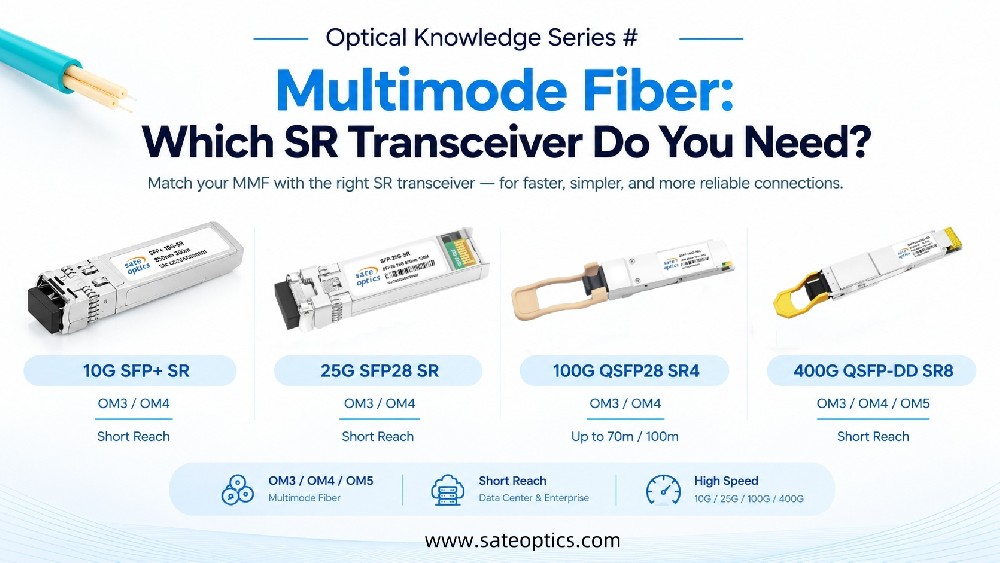
SFP modules come in different form factors and data rates.
| Network Speed | Common Form Factor | Typical Application |
|---|---|---|
| 1G | SFP | Access / enterprise networks |
| 10G | SFP+ | Data center / enterprise |
| 25G | SFP28 | Server / data center |
| 40G | QSFP+ | Data center |
| 100G | QSFP28 | Data center / backbone |
| 200G | QSFP56 | High-density networks |
| 400G | QSFP-DD / OSFP | AI / data center |
| 800G | OSFP / QSFP-DD | AI / high-performance networks |
However, the port's supported speeds must always be verified from the switch documentation.
Physical insertion does not automatically mean electrical or software compatibility.
For example, an SFP28 module may physically resemble an SFP+ module, but that does not mean every SFP+ port can operate with a 25G SFP28.
3. Wavelength Must Match the Optical Application
Wavelength is another important part of SFP compatibility.
Common optical wavelengths include:
850nm
Typically used with multimode fiber (MMF) for short-distance applications.
Common example:
10G SFP+ SR
1310nm
Commonly used for single-mode fiber (SMF) and medium-distance transmission.
Typical example:
10G SFP+ LR
1550nm
Commonly used for longer-distance optical transmission and applications requiring higher optical budgets.
The important point is:
The wavelength must match the optical design of the link.
4. BiDi SFPs Are Different
A standard duplex optical transceiver normally uses two fibers:
TX → Fiber → RX
A BiDi SFP uses a single fiber by transmitting and receiving at different wavelengths.
For example:
Module A: TX 1310nm / RX 1550nm
must be paired with a compatible module:
Module B: TX 1550nm / RX 1310nm
Therefore, you cannot simply select two random BiDi SFPs.
Before purchasing BiDi modules, verify:
TX wavelength
RX wavelength
Transmission distance
Fiber type
Connector
Switch compatibility
This is one of the most common causes of “module detected but link is down” situations.
5. Check the Fiber Type
The optical transceiver and fiber cable must be compatible.
Multimode Fiber
Commonly used with:
SR optical modules
Example:
10G SFP+ SR → OM3 / OM4 MMF
Single-Mode Fiber
Commonly used with:
LR / ER / ZR optical modules
Example:
10G SFP+ LR → SMF
The connector also matters.
Common configurations include:
LC
Duplex LC
MPO/MTP
For example:
100G QSFP28 SR4
typically uses an MPO/MTP interface, while many 10G SR/LR modules use duplex LC.
Therefore:
The correct transceiver + wrong fiber/connector = no useful link.
6. Choose the Correct Transmission Distance
Another common purchasing mistake is choosing the longest-distance module available.
Longer reach does not automatically mean better.
A practical selection might look like:
| Module Type | Typical Distance Class |
|---|---|
| SR | Short reach |
| LR | Up to 10km class |
| ER | Up to 40km class |
| ZR | 80km class and beyond, depending on specification |
For example, a 10km link does not necessarily need a 40km ER module.
The correct choice depends on:
Distance + fiber loss + connector loss + optical power budget
Choosing the right reach can help avoid unnecessary cost and optical-power issues.
7. Don't Forget Optical Power and Link Budget
A module's transmission distance is closely related to its optical budget.
A simplified link relationship is:
TX Power → Fiber & Connector Loss → RX Power
If the received optical power is too low, you may experience:
Link instability
Packet errors
High BER
Intermittent connectivity
No link
But excessive optical power can also be a problem in some optical systems because the receiver may be overloaded.
For longer-distance deployments, don't select an optical module based on distance alone.
Check the TX power, receiver sensitivity, maximum RX input power and total link loss.
8. Compatibility Coding Can Matter
This is where many third-party or compatible optical transceiver questions come from.
A switch may identify an installed module using information stored in the module's memory.
Depending on the platform, the switch may check information such as:
Vendor information
Part number
Serial information
Supported data rate
Wavelength
Compliance information
Compatibility coding
As a result, a technically correct optical specification does not always guarantee plug-and-play operation.
This is why buyers should specify the exact switch model when ordering compatible optics.
9. What About DOM/DDM?
Many modern optical transceivers support DOM/DDM (Digital Optical Monitoring / Digital Diagnostic Monitoring).
Depending on the module and platform, monitoring information can include:
Temperature
Voltage
TX optical power
RX optical power
Laser bias current
Module status
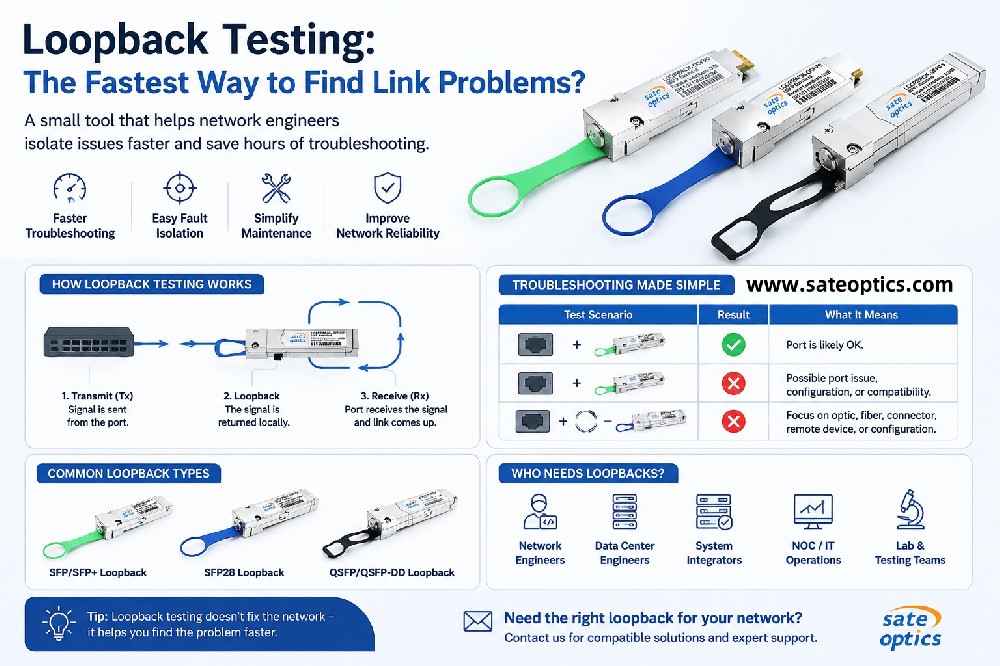
DOM/DDM can be particularly useful when troubleshooting an optical link.
For example:
Module detected + low RX power + high link errors
points to a very different problem than:
Module not detected at all
So when evaluating an optical transceiver, compatibility should include both link operation and monitoring requirements.
SFP Compatibility Checklist
Before ordering an optical transceiver, use this checklist:
Switch
☐ Manufacturer
☐ Exact switch model
☐ Port type
☐ Supported data rate
Optical Module
☐ Form factor
☐ Wavelength
☐ Fiber type
☐ Connector
☐ Transmission distance
☐ TX/RX optical specifications
☐ Compatibility coding
☐ DOM/DDM requirements
Fiber Link
☐ MMF or SMF
☐ Fiber length
☐ Connector type
☐ Total optical loss
☐ Polarity, especially for MPO/MTP and BiDi applications
If these parameters are confirmed before purchasing, many compatibility problems can be avoided before the modules arrive.
Common SFP and Optical Transceiver Models
When searching for compatible optics, engineers may encounter product keywords such as:
1G SFP
SFP-1G-SX
SFP-1G-LX
1G BiDi SFP
10G SFP+
SFP-10G-SR
SFP-10G-LR
SFP-10G-ER
SFP-10G-ZR
10G BiDi SFP
25G SFP28
SFP-25G-SR
SFP-25G-LR
25G BiDi SFP
100G QSFP28
QSFP-100G-SR4
QSFP-100G-LR4
QSFP-100G-ER4
100G CWDM4
100G PSM4
Actual compatibility depends on the specific equipment platform and module specification, so model numbers should always be verified before ordering.
SFP Compatibility in Different Network Applications
Enterprise Networks
Enterprise networks commonly use:
1G SFP
10G SFP+
25G SFP28
DAC cables
AOC cables
Switch compatibility and cost are often important considerations when upgrading access and aggregation networks.
Data Centers
Data center environments may use:
10G SFP+
25G SFP28
100G QSFP28
200G QSFP56
400G QSFP-DD
800G OSFP
At higher speeds, compatibility becomes even more important because transceiver form factor, host interface, fiber architecture, breakout configuration and switch support all need to be considered together.
ISP & Telecom Networks
Telecom and ISP deployments may require:
1G LX
10G LR
10G ER
25G LR
BiDi SFP
CWDM/DWDM optics
Long-distance optical transceivers
For these applications, wavelength, optical budget, transmission distance and interoperability are especially important.
Compatible Optical Transceivers: What Should Buyers Ask?
If you're purchasing compatible optics, don't just ask:
“Do you have a 10G SFP?”
A better request is:
“I need a 10G SFP+ LR for [switch model], 1310nm, LC, 10km, SMF.”
This gives the supplier enough information to recommend the correct module.
At Sate Optics, compatible optical transceivers are available for networking platforms from major equipment manufacturers, covering applications from 1G to 800G.
Solutions include:
SFP | SFP+ | SFP28 | QSFP+ | QSFP28 | QSFP56 | QSFP-DD | OSFP
For more complex deployments, compatibility can be evaluated based on the switch model, required speed, optical distance, wavelength, fiber and deployment environment.
FAQ: SFP Switch Compatibility
Can I use any SFP in any switch?
No. Physical compatibility does not guarantee that the switch will recognize or operate with the module. Check the switch model, port capability, module specification and compatibility requirements.
Can I use an SFP+ in an SFP port?
It depends on the switch and port design. Some ports support multiple speeds or backward compatibility, while others do not. Always check the manufacturer's specifications.
Can I use an SFP28 in an SFP+ port?
Not necessarily. Although SFP28 and SFP+ have similar physical dimensions, the port must support the required 25G operation.
Do compatible SFPs work with OEM switches?
They can, provided the compatible transceiver is correctly specified and coded for the target platform. The exact switch model should be confirmed before purchase.
Why is my SFP detected but the link is down?
Common causes include:
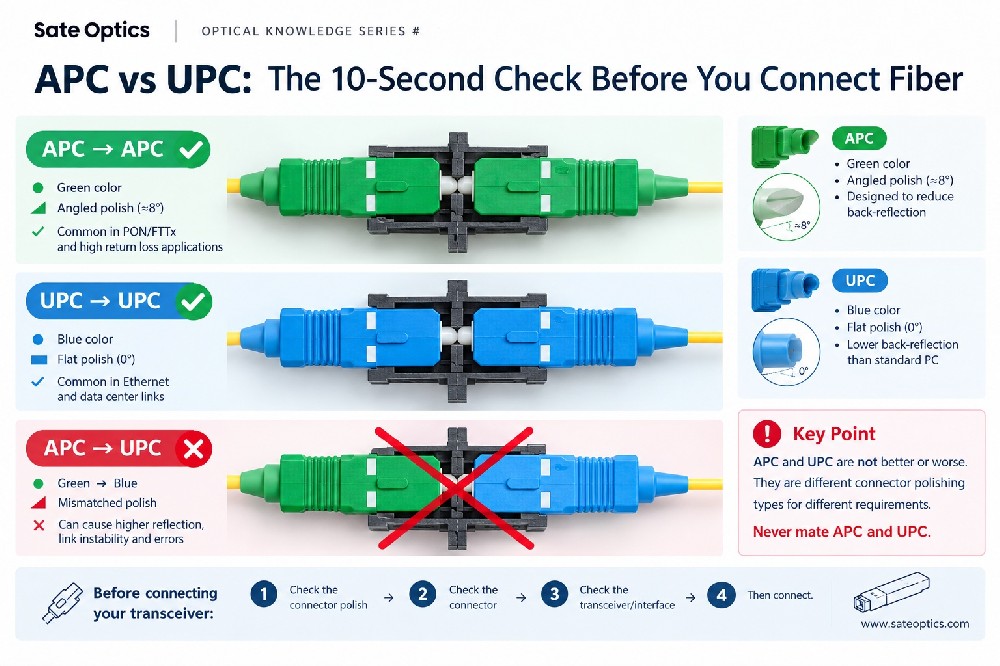
Incorrect wavelength
Wrong fiber type
Incorrect fiber polarity
Dirty connectors
Insufficient optical power
Incorrect BiDi pairing
Unsupported configuration
Compatibility or coding issues
Can two different brands of SFPs work together?
Sometimes, yes. The two modules need to have compatible optical and protocol specifications. However, the host switches may impose additional compatibility requirements.
What information should I provide when asking for an SFP quote?
Provide:
Switch model + port speed + transmission distance + fiber type + connector + wavelength requirements
This allows the supplier to recommend a more accurate solution.
Final Takeaway
An SFP that fits is not necessarily an SFP that works.
Before purchasing an optical transceiver, check:
Switch Model
↓
Port & Speed
↓
Form Factor
↓
Wavelength
↓
Fiber & Connector
↓
Transmission Distance
↓
Optical Budget
↓
Compatibility / Coding
The right optical module is not simply the one that fits the port.
It's the one that fits, is recognized, matches the optical link, and performs reliably in the target network.
Need Help Choosing the Right Optical Transceiver?
Not sure whether an SFP, SFP+, SFP28, QSFP28, QSFP-DD or OSFP is compatible with your switch?
Send us your:
Switch Model + Port Speed + Distance + Fiber Type
Our team can help you identify the appropriate compatible optical transceiver for your network.
Sate Optics — Optical Connectivity Experts
From 1G to 800G, we support optical connectivity solutions for data centers, enterprise networks, ISP and telecom applications.
Previous:PAM4 Explained: What Is PAM4 in 50G, 100G, 400G & 800G Ethernet?