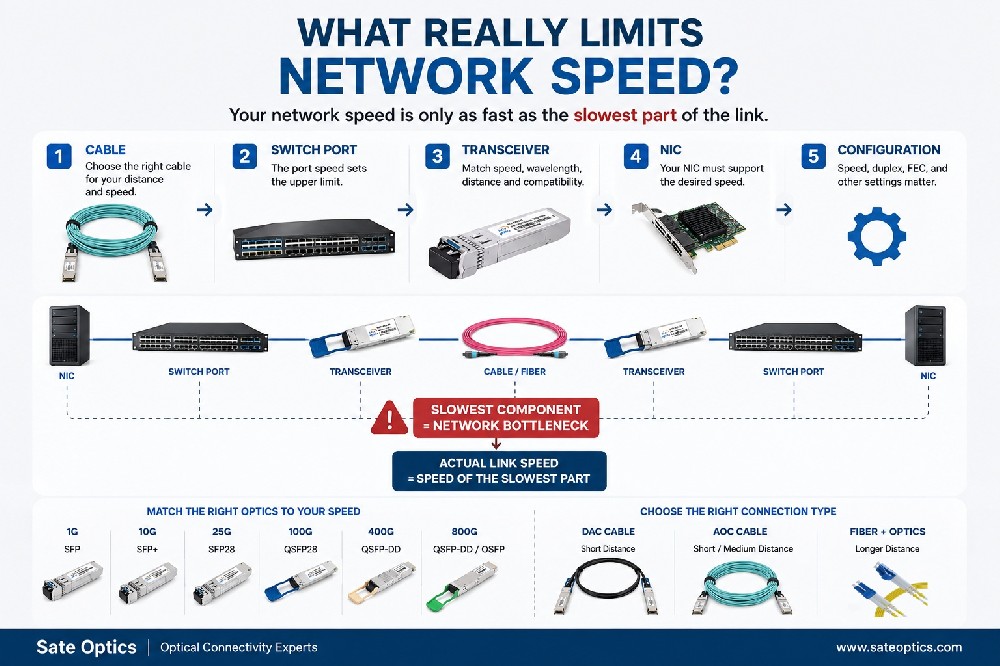

Before Upgrading Your SFP Module: Check Optical Power & Link Budget First
2026-06-17 20:35:13
Before Upgrading Your SFP Module, Check These 3 Things First
Low Rx power? Link instability? Unexpected packet loss?
Many network teams face these issues and immediately think:
“Maybe we need a higher-power SFP module.”
So they upgrade:
10G LR to 10G ER
10G ER to 10G ZR
Standard optical transceiver to a longer-distance module
The link may improve temporarily.
But sometimes, the real problem is not the SFP.
The issue may be hidden somewhere in the fiber link.
A higher-power optic increases the optical budget, but it cannot fix poor fiber conditions, excessive insertion loss, or incorrect link planning.
Before replacing your SFP transceiver, experienced network engineers usually check these three things first.
1. Check Actual Rx Power Before Changing Your SFP
The first step is simple:
Don't guess. Measure.
Modern optical modules support DDM/DOM monitoring, allowing engineers to check real-time parameters including:
Rx power (Received Optical Power)
Tx power (Transmit Optical Power)
Temperature
Voltage
Laser bias current
For example:
A Cisco SFP-10G-LR compatible 10G LR module may show low Rx power, but the value may still be within the normal operating range.
Replacing it with a 10G ER module may not solve the actual issue.
The question should not be:
❌ “Which SFP has higher power?”
The better question is:
✅ “Is the current optical power within the designed link budget?”
2. Calculate Total Fiber Link Loss
A fiber connection is not only about distance.
The real optical loss comes from the entire path:
Fiber cable attenuation
Patch cords
Fiber connectors
Patch panels
Splices
Adapter connections
A link that looks simple in the network diagram can have unexpected loss in real deployment.
For example:
A 40km fiber link using a 10G LR or 10G ER optical transceiver may fail if the actual link contains too many high-loss connection points.
In this situation, upgrading to a stronger optic may hide the symptom but not solve the root cause.
A proper optical budget calculation should always include:
Transmitter Power → Fiber Loss → Connector Loss → Receiver Sensitivity
3. Check Remaining Optical Power Margin
This is one of the most overlooked factors.
A link can work today but become unstable later.
Why?
Because optical performance changes over time due to:
Fiber aging
Temperature variation
Additional patch connections
Dirty connectors
Network expansion
A healthy optical margin gives your network more stability.
This is especially important for:
Data Center Interconnect (DCI)
High-speed links such as:
100G QSFP28 LR4
400G QSFP-DD DR4
400G QSFP-DD FR4
require careful optical budget planning.
ISP / Metro Network
Longer-distance connections often use:
10G ER SFP+
10G ZR SFP+
25G LR SFP28
100G LR4 QSFP28
Choosing the correct optical module depends on distance, fiber type, and required margin.
Enterprise Campus Network
Campus networks commonly use:
1G SFP SX/LX
10G SFP+ SR/LR
where fiber quality and connector condition often affect stability more than the module itself.
Common Mistake: Using a Higher Power SFP as a Quick Fix
A stronger optical module is not always the right answer.
For example:
Replacing:
10G LR → 10G ER → 10G ZR
may increase transmission power.
But if the problem is:
damaged fiber
dirty connector
excessive insertion loss
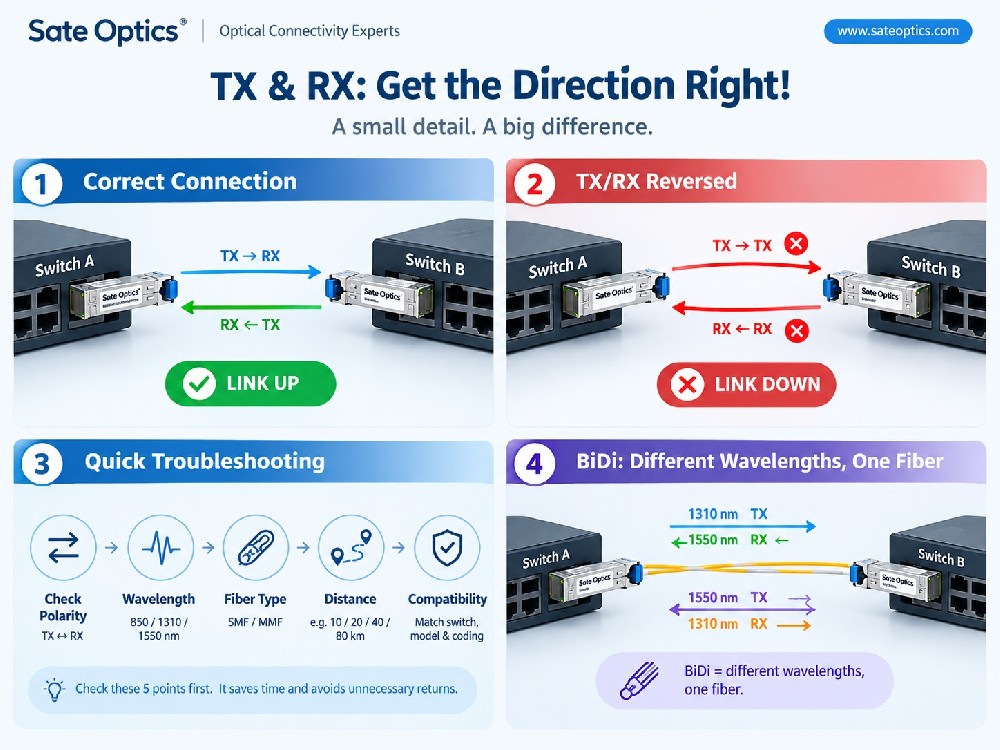
incorrect fiber polarity
the issue will remain.
The best solution is not always a stronger optic.
It is a correctly designed optical link.
How to Choose the Right SFP Module?
Before upgrading your optical transceiver, consider:
✅ Fiber distance
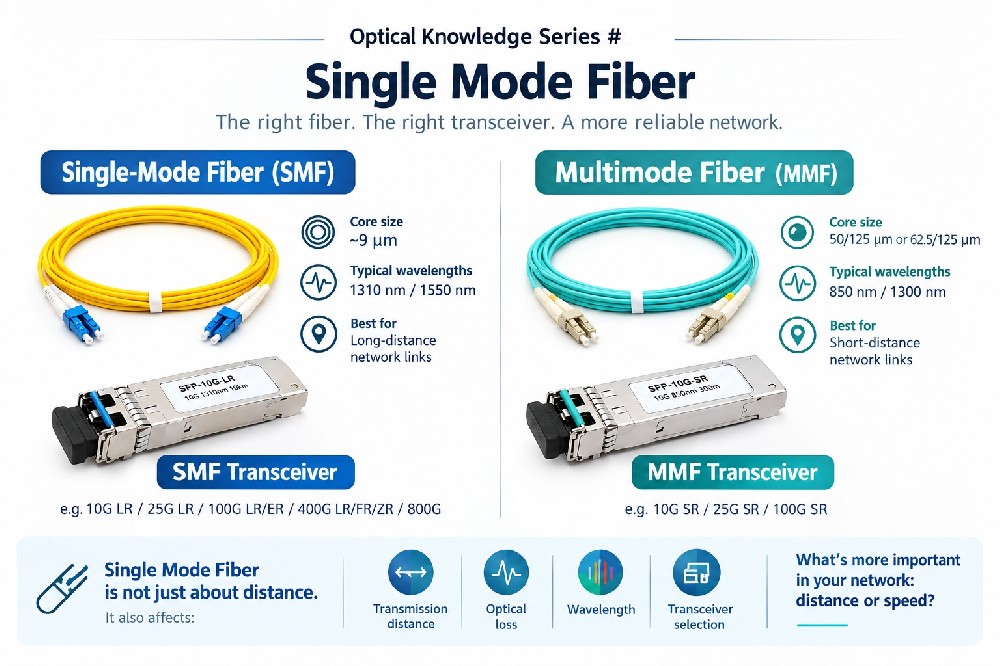
✅ Single-mode or multimode fiber
✅ Required optical budget
✅ Rx sensitivity
✅ Compatibility with your network equipment
Common SFP selection examples:
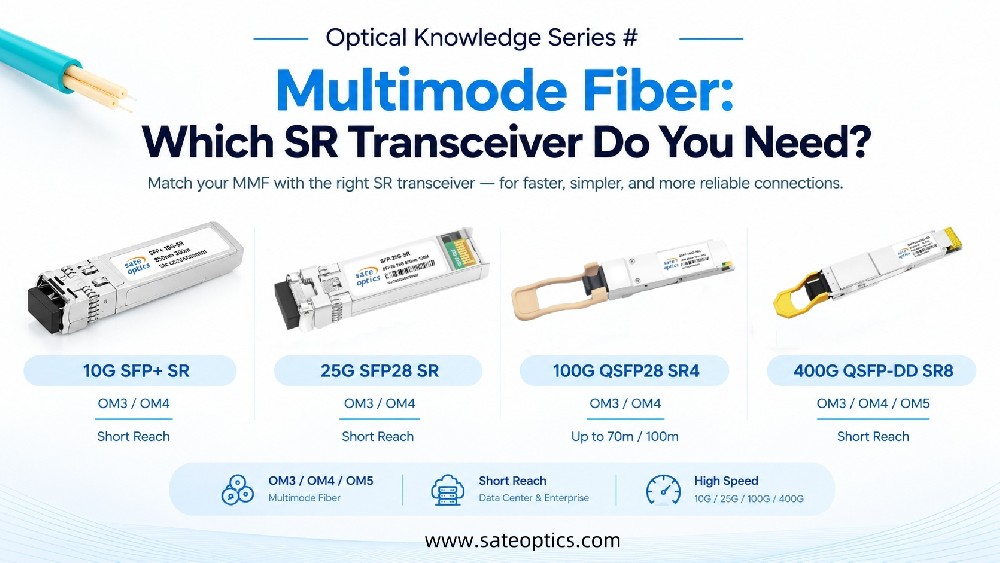
Short distance: SFP SR / SFP+ SR
Medium distance: SFP LX / SFP+ LR
Long distance: SFP+ ER / SFP+ ZR
High bandwidth links: QSFP28 / QSFP-DD solutions
FAQ About SFP Upgrades and Low Optical Power
Q1: Does a higher-power SFP always solve low Rx power issues?
No.
A higher-power SFP increases the optical budget, but it cannot fix fiber damage, dirty connectors, excessive loss, or installation problems.
Q2: What Rx power is considered too low for an SFP module?
It depends on the specific optical module.
Different modules such as:
1G SFP
10G SFP+
25G SFP28
100G QSFP28
have different transmit power and receiver sensitivity specifications.
Always compare DDM readings with the module datasheet.
Q3: Should I upgrade from 10G LR to 10G ER or ZR?
Only when your link budget requires it.
For example:
10G LR is typically designed for shorter single-mode fiber links.
10G ER supports longer distances.
10G ZR is used for extended reach applications.
The correct choice depends on actual fiber loss, not only distance.
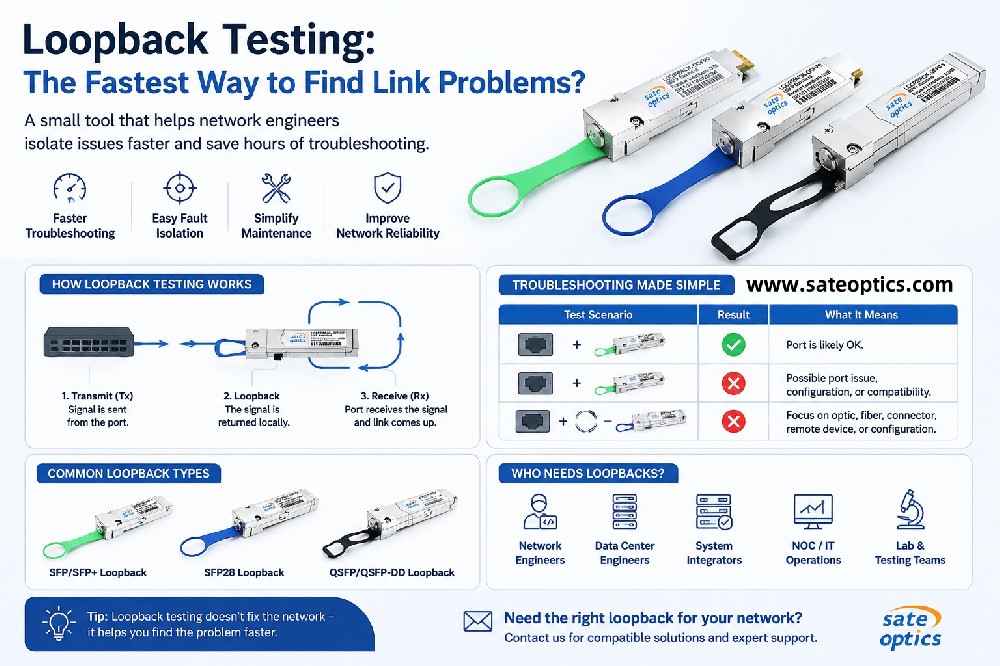
Q4: How can I troubleshoot an unstable optical link?
A basic troubleshooting flow:
Check SFP DDM/DOM values
Measure fiber loss
Clean connectors
Verify fiber polarity
Check compatibility between devices
Review remaining optical margin
Need Help Choosing the Right Optical Transceiver?
Before replacing your SFP module, let us help you verify:
✔ Optical budget
✔ Fiber distance
✔ Equipment compatibility
✔ Suitable SFP / SFP+ / QSFP solution
Contact our team for optical transceiver selection support.
Previous:How to Evaluate Optical Module Value Beyond Price | Optical Module Cost Guide
Next:Fiber Shortage? How DWDM SFP + MUX/DEMUX Help Engineers Multiply Fiber Capacity by 8×