
🔌💡 Fiber Optic Tip: SFP Troubleshooting
2025-09-09 23:20:15
🔌💡 Fiber Optic Tip: SFP Troubleshooting
Small Form-factor Pluggable (SFP) transceivers are the backbone of modern fiber optic networks. They connect switches, routers, and servers, ensuring seamless data transmission across data centers, telecom, and enterprise networks.
But what happens when your link doesn’t come up? Troubleshooting SFP issues can save hours of downtime and frustration. Here are some practical steps and insights you can use today:
✅ Step 1: Check Compatibility
Not all SFPs are universal.
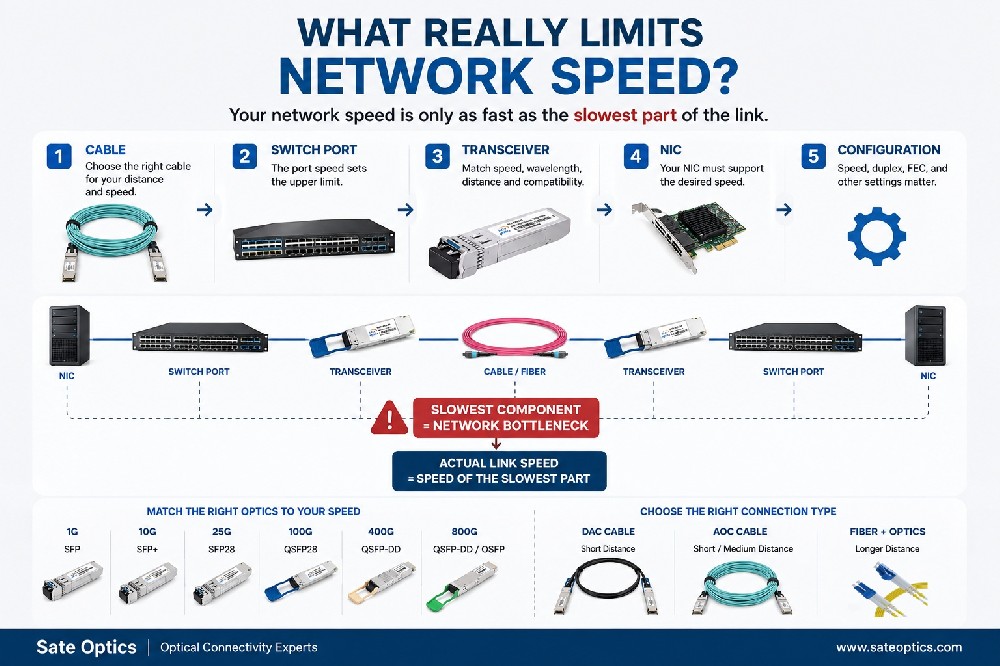
Verify vendor compatibility (OEM vs. third-party/compatible modules).
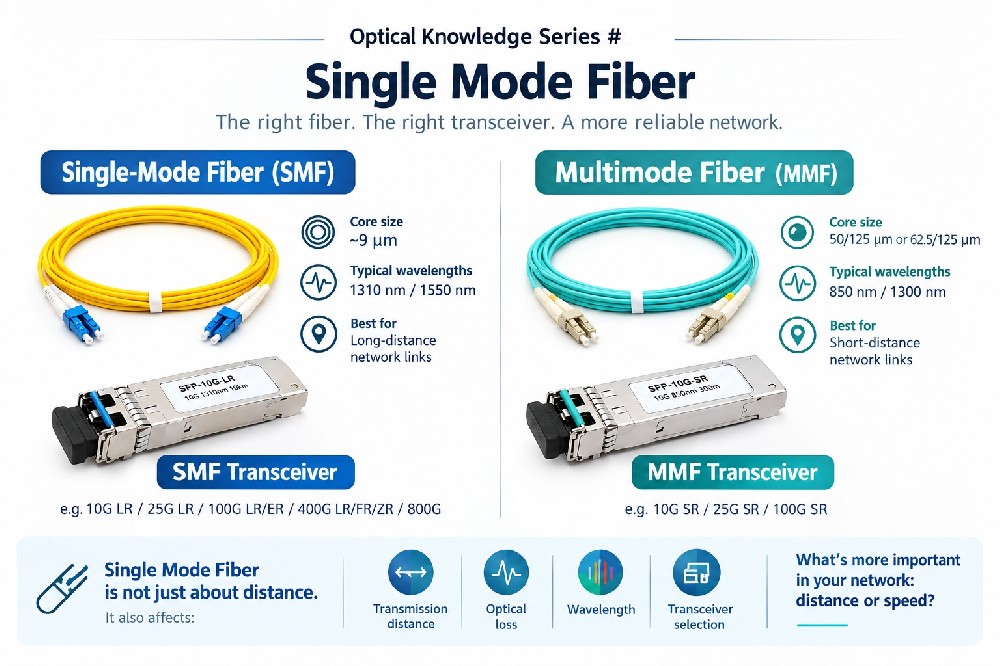
Check the datasheet for supported wavelengths, distances, and fiber type (SMF vs. MMF).
✅ Step 2: Inspect Physical Layer
Clean the connectors – Dust and dirt are the #1 cause of link failures.
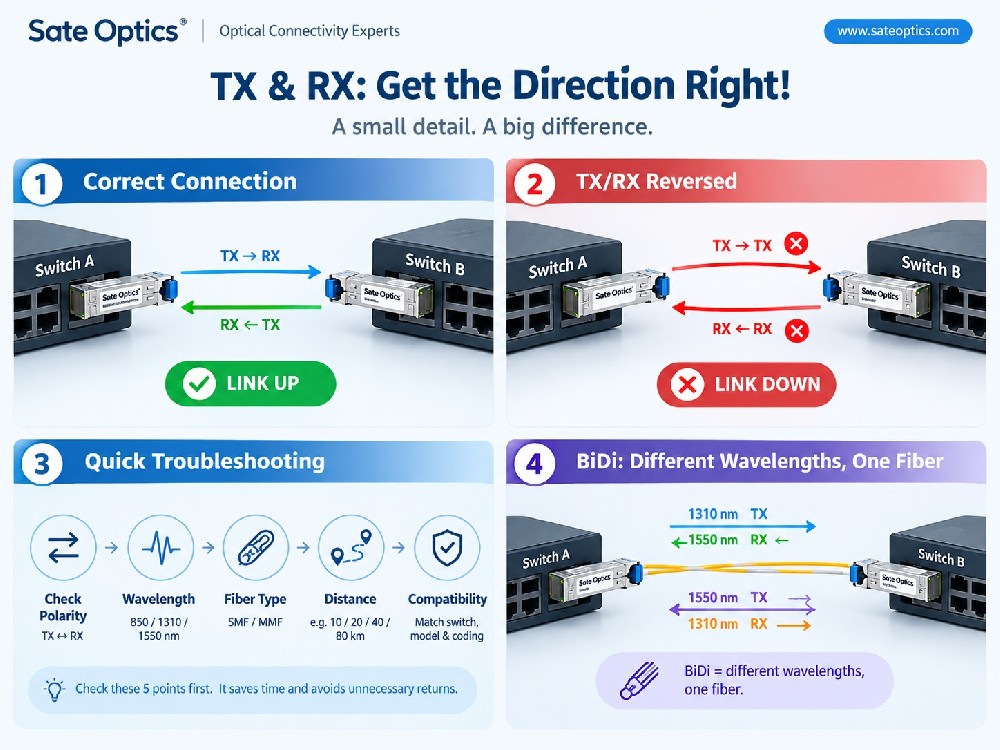
Ensure the correct fiber polarity (Tx ↔ Rx).
Check patch cords for bends, cracks, or mismatches.
✅ Step 3: Verify Transceiver Status
Use CLI commands (e.g.,
show interface transceiver detail).Monitor temperature, voltage, TX/RX power levels.
Low RX power often indicates dirty connectors, bad splices, or too much attenuation.
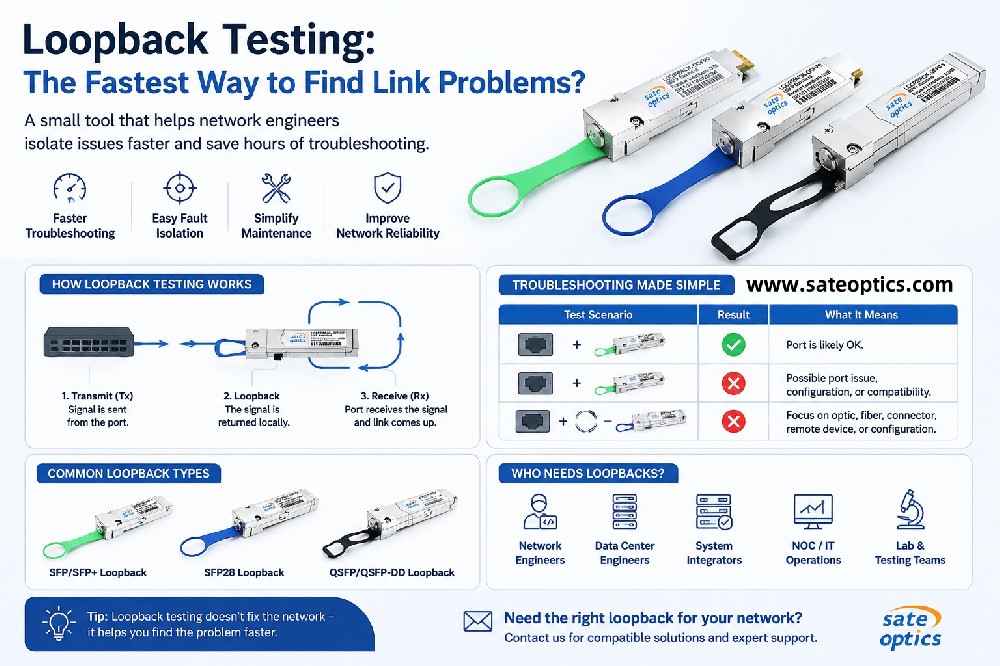
✅ Step 4: Loopback Testing
Insert a loopback cable or enable digital diagnostic monitoring (DDM).
Helps confirm if the problem is with the transceiver, cable, or switch port.
✅ Step 5: Replace & Isolate
Swap with a known good SFP module.
If the issue persists, check the switch port or optical fiber path.
🔍 Pro Tip:
Keep a “golden module” (a tested, working SFP) in your toolkit for quick swaps. This can drastically cut troubleshooting time.
🚀 Final Thoughts
SFP troubleshooting isn’t just about fixing links—it’s about maintaining network reliability, speed, and uptime. By mastering these steps, you’ll ensure your network stays healthy and your operations remain smooth.
💬 What about you?
What’s the most common SFP issue you’ve faced in the field—and how did you solve it? Share your experience in the comments 👇
🔖 Hashtags
#FiberOptics #OpticalTransceiver #Networking #DataCenter #Telecom #SFP #Troubleshooting #TechTips #NetworkEngineering
Previous:Fiber Optic Tip of the Day: Understanding TX & RX Power
Next:🌐 CWDM & DWDM MUX/DEMUX in FTTH Networks – Explained Simply 👏